
When it comes to creating websites quickly and without complications, the KompoZer HTML editor stands out as one of the most accessible and user-friendly solutions available. Whether you’re a beginner learning how to build your first site or a professional looking for a lightweight tool without unnecessary complexity, KompoZer offers a perfect balance of simplicity and functionality. This article explores everything you need to know about the KompoZer HTML editor, including its top features, advantages, and why it remains a reliable choice for modern web development.
What Is the KompoZer HTML Editor?
The KompoZer HTML editor is a free and open-source web authoring application that allows users to create and edit web pages using a WYSIWYG (What You See Is What You Get) interface. Originally based on the Nvu project, KompoZer was designed to fix bugs, improve performance, and offer a more stable solution for visual web design. Its goal is to make web development accessible for users who don’t want to write HTML code manually, while still offering full control for those who prefer editing the underlying markup.
Key Features of KompoZer
1. WYSIWYG Editing
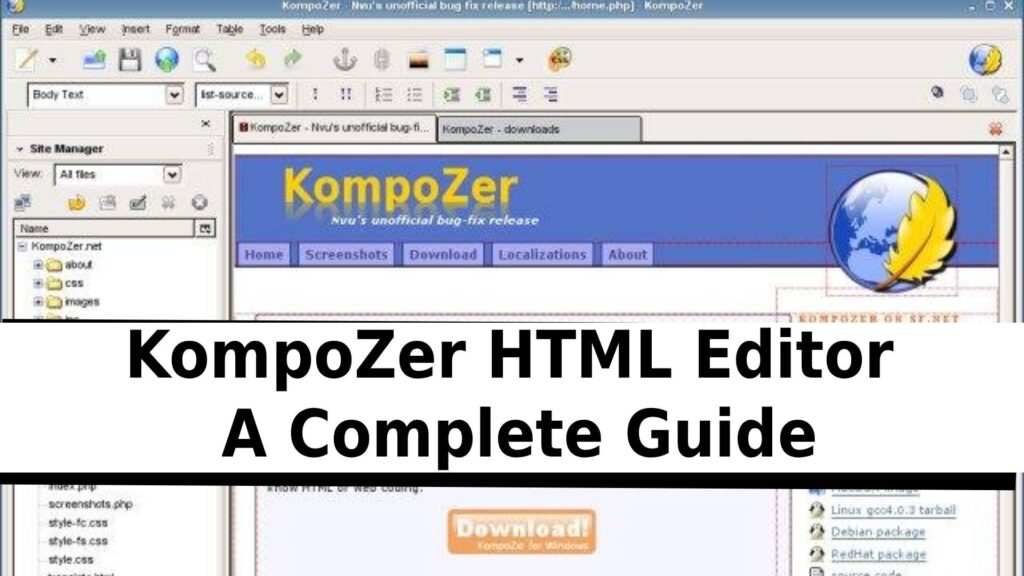
One of the biggest advantages of the KompoZer HTML editor is its intuitive visual editing interface. You can design an entire webpage as if you were working with a word processor, and KompoZer automatically generates the corresponding HTML code in the background.
2. CSS Support
KompoZer includes a built-in CSS editor, allowing you to manage style sheets with ease. From adjusting fonts and colors to modifying layout properties, the CSS module provides complete control over a website’s design elements.
3. Tabbed Editing
Users can work on multiple pages at once thanks to KompoZer’s tabbed editing system. This is ideal for larger projects or when referencing different sections of a site simultaneously.
4. HTML Source Editing
For developers who want to fine-tune the code, KompoZer allows direct access to the HTML source. You can switch between WYSIWYG and code view at any time, making it suitable for both beginners and advanced users.
5. Built-in File Manager
KompoZer comes with a convenient site manager that helps users organize files, publish changes, and maintain website structure efficiently.
Why Choose KompoZer?
Perfect for Beginners
Many aspiring web developers choose the KompoZer HTML editor because it eliminates the learning curve associated with other professional tools. You can create headers, paragraphs, images, tables, and links without writing any code.
Lightweight and Fast
Unlike many modern web development applications that require heavy installation packages or cloud subscriptions, KompoZer runs smoothly on older or low-powered computers.
Completely Free
As open-source software, KompoZer offers full access to its features at no cost. This makes it an excellent choice for students, freelancers, and small businesses.
How KompoZer Compares to Other HTML Editors
When compared to editors like Dreamweaver, BlueGriffon, or modern online builders, KompoZer holds its own thanks to its simplicity and open-source nature. While it may lack some advanced automation features, it remains a dependable tool for clean, straightforward web creation—especially for users who want a stable offline editor.
Final Thoughts
The KompoZer HTML editor is still a valuable resource for anyone looking to build professional-looking websites without deep technical knowledge. Its combination of WYSIWYG editing, CSS support, and open-source accessibility makes it a timeless tool for web design. Whether you’re just starting your web development journey or looking for a lightweight alternative to heavier software, KompoZer remains a strong and dependable choice.