
If you are searching what is KompoZer, you are probably interested in building websites without needing advanced programming knowledge. KompoZer is a free web development tool that was designed to make website creation easier for beginners through a visual editing interface.
In this guide, you will learn what KompoZer is, how it works, its features, and why it became popular among beginners learning web design.
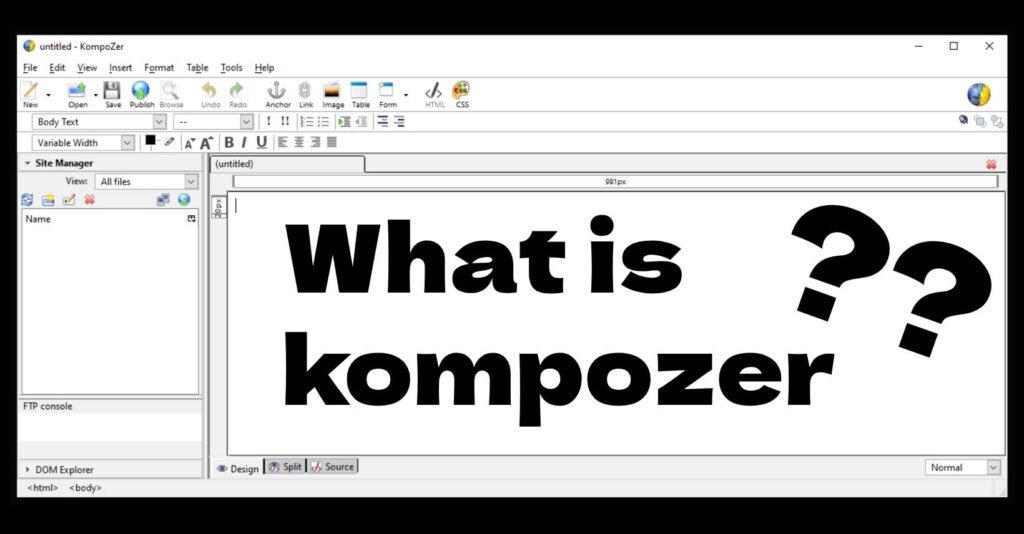
What Is KompoZer?
KompoZer is a free WYSIWYG (What You See Is What You Get) HTML editor that allows users to create and edit web pages visually, without writing complex code.
Instead of manually writing HTML and CSS, KompoZer lets you design pages in a way similar to using a word processor. You can insert text, images, links, and layouts visually while the software automatically generates the underlying code.
This made KompoZer especially attractive to:
- Beginners learning web design
- Small website owners
- Bloggers creating simple static sites
- Students learning HTML basics
How KompoZer Works
KompoZer works by combining a visual page editor with a code editor. Users can switch between these modes depending on their needs.
Main editing modes include:
1. WYSIWYG Visual Editor
This is the most beginner-friendly feature. It allows you to design your webpage visually, just like editing a document.
You can:
- Add text and headings
- Insert images
- Create links
- Build tables and layouts
- Format content with buttons
2. HTML Source Editor
For users who want more control, KompoZer also includes a direct HTML editing mode. This allows you to modify the website code manually.
3. Split View
This mode shows both the visual design and the HTML code at the same time, making it useful for learning how code affects the design.
Key Features of KompoZer
KompoZer became popular because it included several powerful features while remaining free and easy to use.
Visual Website Builder
The WYSIWYG editor lets users build pages without needing coding skills.
Built-In FTP Publishing
KompoZer allows you to publish your website directly to a web server using FTP.
CSS Editor
Users can edit stylesheets to control the appearance of their website, including fonts, colors, spacing, and layout.
Site Manager
The built-in site manager helps organize multiple pages and upload them to hosting servers.
Cross-Platform Support
KompoZer was available for:
- Windows
- Linux
- macOS
Why KompoZer Became Popular
Many beginners searched what is KompoZer because it became one of the easiest tools for learning how websites work.
Its popularity came from several advantages:
- Completely free and open-source
- Simple interface for beginners
- Visual editing without coding
- Built-in publishing tools
- Good for small static websites
At a time when professional web design tools were expensive, KompoZer provided a powerful free alternative.
Is KompoZer Still Used Today?
Although KompoZer was once widely used, development of the software stopped around 2010. Because of this, it is now considered outdated.
Modern web development has moved toward tools such as:
- Visual website builders
- Content management systems
- Advanced code editors
However, KompoZer is still sometimes used for:
- Learning HTML basics
- Editing simple static pages
- Practicing website structure
KompoZer Advantages and Limitations
Advantages
- Easy for beginners
- Visual page editing
- Free and open-source
- Built-in FTP publishing
- Lightweight software
Limitations
- No lonhttps://kompo-zer.com/download-kompozer/ger actively developed
- Limited support for modern web standards
- Not ideal for responsive design
- Fewer features compared to modern editors
Who Should Use KompoZer?
Even today, KompoZer can still be useful for certain users:
- Beginners learning basic HTML
- Students practicing web design fundamentals
- Users maintaining older websites
- Anyone wanting a simple offline website editor
However, for modern website development, newer tools may offer better functionality.
Final Thoughts
If you were wondering what is KompoZer, it is a free WYSIWYG HTML editor that helped thousands of beginners create websites without coding. Its visual interface, built-in publishing tools, and simplicity made it one of the most beginner-friendly web design tools of its time.